
A few at a time.
Hands-on from day one.
A wide range of majors and minors, small classes, and close mentorship — with Principled Problem Solving and ethical leadership woven through the curriculum. You're known by name here, not by a seat number.
Student Accounts
Students are expected to settle the balance due on their student account by the first day of class unless they are enrolled in a payment plan via TouchNet. Semester due dates and payment plan enrollment dates will be posted in the Announcement section on the TouchNet homepage.
Once registered, students are officially enrolled at Guilford College and are financially responsible for charges. If you do not plan to enroll at Guilford College, you must complete a withdrawal form through the OFFICE OF ACADEMIC AND STUDENT AFFAIRS to OFFICIALLY WITHDRAW from your classes. Students who officially and completely withdraw from Guilford College BEFORE the first official day of classes will receive a full refund of tuition and academic and student activity fees assessed. However, any non-refundable deposits will not be refunded.
Tuition charges and room and board (where applicable) are prorated for students who officially and completely withdraw after the beginning of classes. Fees will be assessed at 100%. Students should review the institutional and federal withdrawal policy for the impact of withdrawals to financial aid and charges.
Touchnet (Parent & Authorized Users Access)
If you need assistance with your Housing and/or Meal Plan charges, or your meal swipes, please contact the ResEd Team at 336.316.2105 or resed@guilford.edu.
Funds can be added to your Quaker Card using the OneWeb platform.
Please include your G# on every correspondence to Student Financial Services
Attn: Student Accounts/Student Financial Services
336.316.2354

Summer School
get more information here.
Billing and Payments
Tuition Payment Important Dates
Important Dates and Deadlines
Spring 2027
Spring Bills released on - 11/20/26
Payment Plan Enrollment for Spring - 11/20/26-12/31/26
First Payment Plan Payment Due - 12/15/27
Non-Payment Plan Student Bills are due in Full - 1/8/27
Fall 2027
Fall Bills released on - 07/01/27
Payment Plan Enrollment for Fall - 07/01/27-07/30/27
First Payment Plan Payment Due - 07/15/27
Non-Payment Plan Student Bills are due in Full – 07/30/2026
Spring 2028
Spring Bills released on - 11/19/27
Payment Plan Enrollment for Spring - 11/19/27-12/31/27
First Payment Plan Payment Due - 12/15/27
Non-Payment Plan Student Bills are due in Full - 01/07/28
Account balances may be paid via TouchNet. Once registered, students are officially enrolled at Guilford College and are financially responsible for charges.
Holds / Financial Obligations
- If financial obligations to the College are not settled in full by the due date, the account will be considered past due. An Accounts Receivable Hold will be placed on accounts with past due balances after the first day of classes which will prevent students from obtaining diplomas, from checking-in for the current semester, and from registering for subsequent semesters.
- Holds will be placed on any accounts that have a remaining balance that is not currently being paid in a up to date payment plan. This hold will prevent students for registering for the next semester.
- A late fee of up to $500 may be assessed after the first day of classes if the current balance due is not settled by payment in full or enrollment into a payment plan, where applicable.
- Payments made online via TouchNet using any Visa, MasterCard, Discover, or American Express cards will be assessed a non-refundable 2.95% convenience fee with a minimum charge of $3.00.
- Payments made by check, certified check or money order, should be made payable to Guilford College and mailed to:
Guilford College
Attn: Student Financial Services
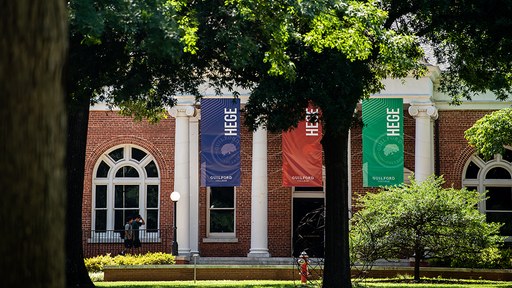
Hege Academic Commons
Greensboro, NC 27410
Please include your G# (student identification number) on the check, certified check, or money order for faster processing.
Information on TouchNet
TouchNet is where you can access Guilford College’s Billing and Payments. Students will use their Single Sign On (SSO) credentials for login.
TouchNet (Student Access).
Touchnet (Parent & Authorized Users Access)
- Access up-to-date account balance and activity.
- View and print official account statements.
- Make secure ACH and Credit Card (add fee applies) payments.
- Enroll in payment plans.
- Authorize parents and others to have access to your student account.
- Receive 1098T forms for taxes
Notice: Direct deposit is mandatory if the student is eligible for a refund.
- Click “Personal Profile.”
- Click “Payment Profile.”
- Under “Add New Payment Method,” insert “Electronic Check (checking/savings) in the “Method” box. Click Select.
- After clicking “Select,” enter the information you are prompted to answer.
- Under Refund Options, if this is the account you desire to receive funds, check the box. If not, complete this process to add an additional Electronic Check to receive refunds.
- Click Continue and Finish.
- You can add an authorized user by logging into TouchNet from your student center and selecting “Authorized Users.” Once selecting this option, follow the prompts for information requested. Your authorized user will receive an email to complete the process.
- NOTE: On Mobile, you may have to scroll down to see this option.
Student Accounts will no longer be able to accept cash payments starting July 1, 2026. Payments should be made through TouchNet whenever possible, but we will be able to accept a personal check, money order, or cashier's check.
For Monthly Payment Plans:
- The total balance will be split into 5 payments and due on the 15th of each month.
- Payment plans begin in July for Fall semester and December for the Spring semester. The first payment will be due on July 15th for Fall and Decemeber 15th for the Spring semester.
- Fall payment plans will open July 1st and remain open until July 14th for enrollment.
- Payment Plans must be completed each semester prior to the first payment due date.
- There is a $35 enrollment fee due upfront at enrollment.
- A $50 late fee will be assessed (after the grace period) for any missed installments.
- Auto-pay or scheduled payments can be set up as well.
TouchNet Instructions
- View your balance and select Make Payment tab at the top of the page
- Select the Current account balance option and enter the dollar amount to be paid and select continue.
- Verify the Payment Amount, select the Payment Method, and select Continue.
- Enter Payment Method and select confirm/continue.
Additional Payment Methods
Mail:
Checks and money orders can be mailed to the Office of Student Financial Services. All checks should be made payable to Guilford College and include the student’s G# number.
Checks/Money Orders/Overnight and Certified Mail should be mailed to:
Guilford College,
Office of Student Financial Services,
5800 West Friendly Ave.
Greensboro NC 27410
In Person:
Check and money order payments may be made in person in the Office of Student Financial Services located in Hege Library.
Refunds
Refunds are issued when payments exceed tuition, fees, and other charges and create a credit (or negative) balance on the student account. A credit balance on a student’s account can be created by:
- Reducing meal plan or housing costs
- Waiving insurance after initial billing
- Dropping classes during the add/drop period
- Withdrawing or taking an LOA from Guilford College
- Out-of-pocket payments that exceed the student bill total
- Financial aid disbursements that exceed the student bill total
- Other miscellaneous credits
Refunds are processed biweekly. All refunds are disbursed via Direct Deposit. Please allow 2-3 business days to see the funds appear in your bank account. Students should ensure to set up their refund method on TouchNet.
Parent PLUS Loan Refunds
All credit balances due to a Parent PLUS Loan will be refunded to either the parent borrower or the students as indicated on the PLUS Loan application. Any credit to a student’s account with a Parent Plus Loan will be viewed as resulting from the Parent Plus Loan and refunded as indicated on the PLUS Loan application. Please be advised that if the credit is to be refunded to the PLUS Loan borrower, it typically takes two weeks from the disbursement date for the check to be mailed.
Withdrawal/LOA Refunds: Refund of tuition, room and board - Please refer to the attached Refund Schedule.
Fall 2026 Withdrawal Refund Schedule
| First week of the term | Aug. 19 - 25 | 90% |
| Second week of the term | Aug. 26 - Sept. 1 | 75% |
| Third week of the term | Sept. 2 - 8 | 50% |
| Fourth week of the term | Sept. 9 - 15 | 25% |
| After the fourth week of the term | After Sept. 15 | 0% |
Account Balances are due by the First Day of Class
Institutional and Federal Withdrawal Policy
Students who withdraw and receive financial aid programs may have adjustments to their aid based on federal regulation and institutional policy.
Perkins and Institutional Loan Repayment
The following is information for students who received a Federal Perkins Loan, GOAL Loan, or Community Senate Loan while enrolled at Guilford College.
- Students must begin repaying their Perkins loan(s) nine months after leaving Guilford College, whether it is by withdrawal or graduation. As payments become due, interest accrues on the account at an Annual Percentage Rate of 5% Payments are based on a repayment term of 10 years and the balance owed, with a minimum monthly payment of $40.
- It is important to pay and pay on time as loans are one of the first opportunities students have to establish credit. According to Federal Law, Guilford College is required to report all student loans to a national credit bureau. Loans are reported when opened and each month for the life of the loan until it is paid in full. Every on-time payment improves credit score, while every late or missed payment damages credit score.
- Taking out a loan creates a binding legal obligation for repayment. Students should make sure they fully understand their rights and responsibilities related to all loans.
- These loans are different from Federal and private loans as Guilford College is the lender. Guilford College works with ECSI as the loan servicer/billing agent. Questions regarding your Perkins, GOAL or Community Senate Loan should be directed to ECSI:
- www.heartland.ecsi.net
- 1-888-549-3274
- Live Assistance Monday-Friday 7:30AM-9:00PM
Students are required to report any of the following changes immediately to ECSI:
- Name, address, telephone number, or email address changes
- Enrollment drops below half time status
- Withdrawal from school
- Transfer to another school
- New eligibility for cancellation benefits
- Enlistment in the military
- New documented disability
From the Student Handbook:
- Students must pay tuition and fees according to the schedule established by the Office of Student Accounts. Students who do not fulfill their financial obligations to the College according to this schedule, or who fail to make satisfactory arrangements with Student Accounts to pay according to some other mutually agreed-upon schedule, may be unenrolled from the semester’s classes, may not be eligible to register for classes, and/or may be dismissed from the College.
- Any balance that has not been paid in full by the first day of class or is part of an active payment plan, will be considered past due and will have an Accounts Receivable (AR) hold placed onto their account and cannot be removed until the balance has been paid in full.
- As of the last day of ADD/DROP, a student account with a past due balance will be transferred to the Heartland ECSI Recovery Select program.
Heartland ECSI Recovery Select
- Guilford College has partnered with Heartland ECSI Recovery Select to manage accounts with past-due balances and to perform pre-collection services. ECSI Recovery Select is NOT a collections agency, but a pre-collect service provider that aims to help students manage their past due balances.
- Students must contact ECSI Recovery Select to resolve their past due balance once their account has been assigned. If the past due balance is not resolved, ECSI Recovery Select will submit the account to a third-party collection agency.
ECSI Heartland
844-454-6100
Monday-Friday
7:30 am-8 pm ET
Collections Agencies
- Students with accounts that have not been paid in full, or without current payment plans in place after 90 days will be sent to one of our two collections agency partners, Williams & Fudge or ConServe. Collections agencies add collection fees to past due balances, and can negatively impact credit scores. Accounts that have been transferred to a collection agency will be notified directly by the agency via phone, email or mail.
- Students with a past due balance that has been assigned to a collections agency must contact them directly to resolve their past due balance.
Collections Agency Contact Information
Williams & Fudge
800-551-5772
Monday-Friday, 8 am-5 pm ET
Williams&Fudge@wfcorp.comConServe
800-724-4439
Monday- Friday, 8 am-5 pm ET
correspondence@conserve-arm.com
1098-T Forms
1098-T Tax Reporting Information for Guilford College Students
What is IRS Form 1098-T?
The 1098-T is an informational form issued to students to help determine eligibility for certain educational tax credits. These forms are prepared in compliance with reporting guidelines established by the IRS. Information included on Form 1098-T is reported to the IRS.
Box 1 – Payments Received
The total in Box 1 includes all payments received by Guilford College in calendar year 2025 that pay for qualified tuition and related expenses (“QTRE” – see below), as defined by the IRS.
QTRE includes payments from students and families, advance deposits, loans, scholarships, grants, and third party sponsor payments. Only the portion of the payments applied to QTRE is reported in Box 1.
Box 2 – Amounts Billed
Effective with 2018 reporting, and to comply with the Consolidated Appropriations Act of 2015, Guilford has started reporting Payments Received in Box 1. With this change, Box 2 will be left blank. In prior years, Guilford reported “Amounts Billed” in Box 2.
Box 4 – Adjustments to a Prior Year
Box 4 reports adjustments including changes made to items originally reported in Box 1 or Box 2 in a prior calendar year.
The amount reported in Box 4 represents a reduction in tuition billed during a prior calendar year.
Box 5 – Scholarships or Grants
Box 5 includes scholarships, grants, and payments from a corporate or government sponsor. Per IRS regulations, Box 5 includes any payments made by someone other than the student or family. If these payments are higher than your QTRE you will not receive a 1098-T form.
Which items are considered QTRE?
The IRS defines QTRE as items directly related to a student’s education. QTRE includes tuition and enrollment fees. The IRS does not consider the following items to be related directly to the student’s education: room/housing, board/dining, study abroad, health fees, recreation fees, and fees covering travel and related expenses.
What are the IRS’ reporting criteria for receiving a Form 1098-T for 2026?
The student must have taken classes for academic credit in any term that began during the 2025 calendar year. In addition, the student’s account must have had a payment or financial aid award posted in calendar year 2025 that was applied to qualified tuition and related expenses.
If the student received financial aid in the form of scholarships, grants, or third party payments that exceeded the amount of payments for qualified tuition and related expenses posted in calendar year 2025, the student will not receive Form 1098-T.
What am I supposed to do with the 1098-T I received?
Keep it for your personal records and share the 1098-T with your tax preparer for assistance in determining your eligibility for certain tax credits.
What resources are available to me to determine my eligibility for certain tax credits?
There are many details surrounding benefits of The Taxpayer Relief Act (TRA97) of 1997. Please contact a tax professional to determine if you qualify for these benefits. Guilford College cannot provide tax advice. We encourage all students and parents to consult with a tax professional regarding the 1098T form and it’s use/impact on their tax information.
How to View the 1098-T:
The 1098-T will be sent electronically or via mail, depending on the student’s preference. (Please opt in to receive an electronic form as it is the fastest and preferred method of distribution)
Students who wish to receive their form through the mail, should make sure their permanent address is up to date in Banner. Please contact the Registrar’s Office if corrections are needed.
In TouchNet, under “Statements,” students and authorized users will be able to view “Your latest 1098-T Tax statement,” at any time.
Student Accounts FAQ
Contact the Registrar’s Office by phone 336.316.2121 or email at registrar@guilford.edu.
Refunds are processed biweekly and sent to the direct deposit information on file in TouchNet. If you are not currently enrolled in direct deposit, you will need to enroll to receive your refund if you are owed one. Please keep your banking information current to ensure delivery of all refunds when processed.
The Follett Access fee grants students the ability to use rental materials from the Guilford College Bookstore, and is not mandatory for students. In order to be removed from the Follett program, students must complete the opt-out instructions sent via email two weeks before classes start. If students neglect to opt-out of the program, and do not pick up rental textbooks, we cannot remove the book fee. The only way to have the fee removed is to complete the opt-out.
Follett Textbook Policy FAQs
All undergraduate students are automatically enrolled in the Access Program. MBA courses are currently excluded.
The Access Program simplifies obtaining required course materials by having the Guilford Bookstore prepare them for you. This ensures that every student has access to all required materials on or before the first day of class.
After you register for courses, your course schedule is sent directly to the Guilford Bookstore. Simply monitor your campus email for instructions regarding access to digital materials and pickup information for physical materials.
Once you register for your courses, the Guilford Bookstore will prepare your materials.
Digital materials: You will receive email instructions explaining how to access your materials through the learning management system.
Physical materials: The bookstore will send information to your student email regarding when and where to pick up your materials.
- Up to 60% savings on required course materials
- Convenient billing directly to student accounts
- Access to required materials on the first day of class
- Digital platforms such as highlighting, flashcards, and note-sharing
- Reduced stress from searching for and purchasing the correct materials
Depending on your courses and instructor requirements, you may receive a combination of digital course materials and physical textbooks. Most physical materials are provided as rentals and must be returned at the end of the semester.
You will receive an email at your campus email address with instructions for creating or accessing the Rental Account portal.
No. Most physical textbooks are rented and must be returned to the Guilford Bookstore at the end of the semester. Rental materials are due by the last day of final exams. Failure to return materials by the deadline will result in the replacement cost being charged to the credit card on file.
Yes. Students may choose to opt out of the Guilford College Access Program each term and obtain course materials independently. Students not interested in participating must take action to opt out of the program by the opt-out deadline each term. There is no penalty to opt-out. The opt-out portal will open on July 13, 2026 and close on August 26, 2026. To opt-out, check your campus email for information and/or visit the Opt-Out Portal. You must use your campus email address to access the portal. The deadline for opting out of the Follett Book Fee is the end of the add/drop period each semester.
The Follett Access fee grants students the ability to use rental materials from the Guilford College Bookstore, and is not mandatory for students. In order to be removed from the Follett program, students must complete the opt-out instructions sent via email two weeks before classes start. If students neglect to opt-out of the program, and do not pick up rental textbooks, we cannot remove the book fee. The only way to have the fee removed is to complete the opt-out.
If the opt-out deadline has not passed, you may opt back into the program by logging back into the Opt-Out Portal and selecting Opt In.
Course enrollment changes are automatically communicated to the Guilford Bookstore.
Added Courses: Within 24 hours of adding a course, you will receive an email to your school email address with details on how to access your digital materials. These digital materials will automatically move with you in Canvas. For printed materials, you will receive an email to your campus email address letting you know when the new print materials are ready for pick-up.
Dropped Courses: For courses dropped prior to the last day to drop/add/opt-out deadline, access to electronic or digital materials will be automatically disabled. Printed materials must be returned to the Guilford College Bookstore.
Check your campus email for program information, talk with your faculty, and contact your Guilford College Bookstore team for more assistance. Any additional questions, please contact your Guilford College Bookstore team at guilford@bkstr.com.
Contact Us


International Student Payments
Guilford College has partnered with PayMyTuition for international tuition payments. With PayMyTuition, you can pay your tuition payments from any bank, in any country in any currency at better than bank exchange rates. PayMyTuition is fast, simple, and cost effective.
Access the BannerWeb portal page and select “Logon to Banner Web”. Click "Logon to Banner Web" and Input your Student Credentials to login.
Select the “Student” tab within self-service and click on “International Payments (PayMyTuition)” to be redirected to the payment portal.
If you are making a payment on behalf of a student, the PayMyTuition portal can be accessed by clicking “Pay now with PayMyTuition” below:
You will need a valid student ID to complete a transaction on behalf of a student.
Frequently Asked Questions
PayMyTuition’s Rate Guarantee
PayMyTuition customer support information
Call 1.855.663.6839 (toll-free) or through one of their local country contact numbers. You can also reach PayMyTuition Support at support@paymytuition.com or through their support page.
No matter what time zone you are in, you will have a dedicated customer support team available to you through live chat, email and phone to answer any of your questions and help you make your payment.